Features App Sidebar & Reports
App descriptions that stay open, with live reports
App descriptions expand automatically so your team always sees the instructions. Pin any report into the description and it shows as a live tile.
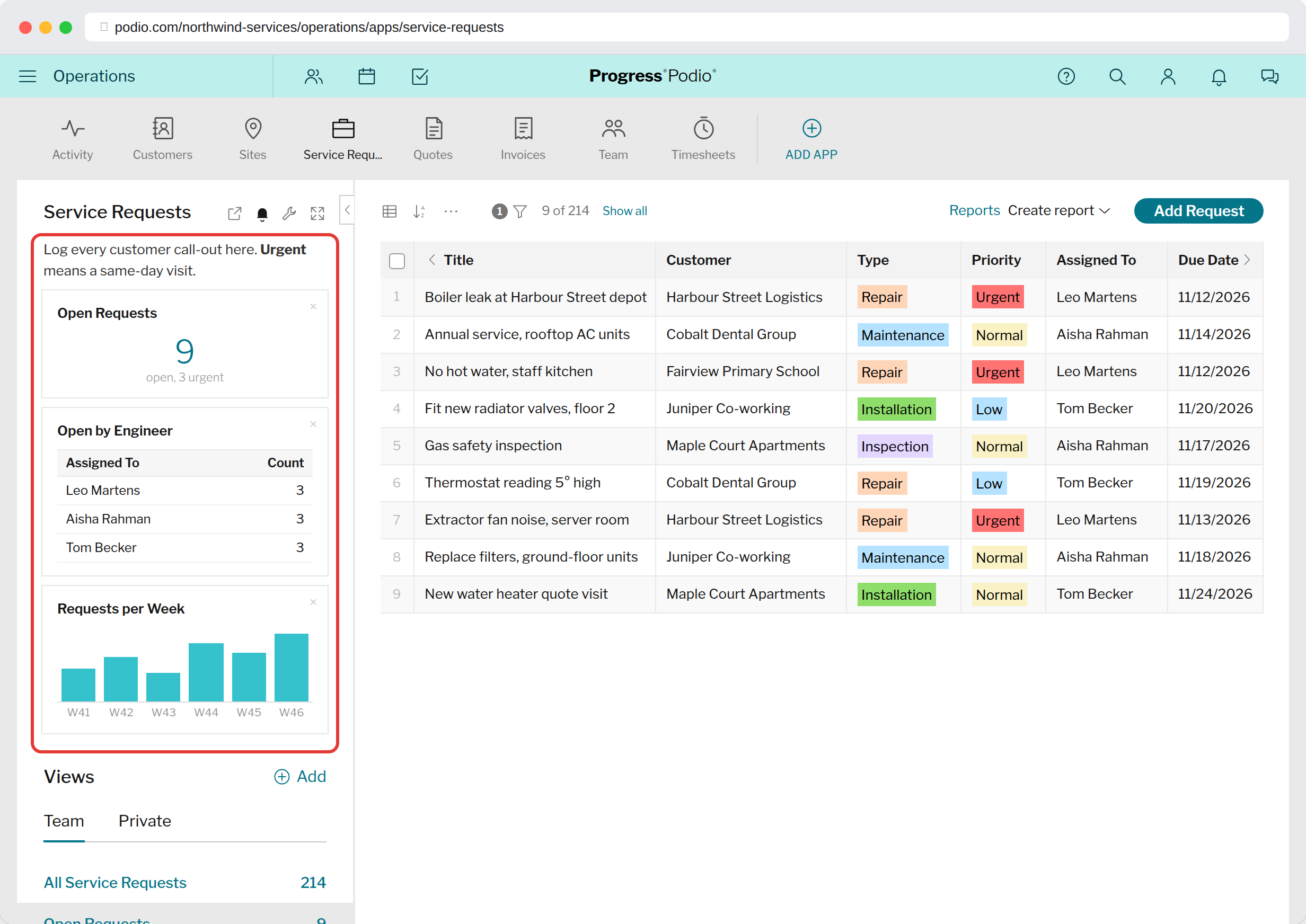
Always visibleApp descriptions open automatically, so instructions get read.
Live reportsPin report tiles next to the data they describe.
No dashboard hoppingSee the numbers while you work in the app.
Expanded descriptions
Podio hides app descriptions behind a click, so most people never see them. Super Menu opens them for you. Use the description for the rules of the app: what each status means, who to assign, what not to do.
Pin a report
- Open the app's reports and note the exact title of the report tile.

- Edit the app description and add
[report:Title]where you want the tile.

- Reload the app. The tile shows in the sidebar.
Reports are matched by title (not case sensitive), so give each report in the app a unique name.
Turn this off with the Expand App descriptions option under the extension's toolbar icon.
Try it in your Podio
Free Chrome extension. Takes a minute to set up.