Features Shortcut Keys
Your top apps on keys 1 to 9
Assign your most-used apps or workspaces to the number keys and jump straight to them from anywhere in Podio. 0 always takes you home.
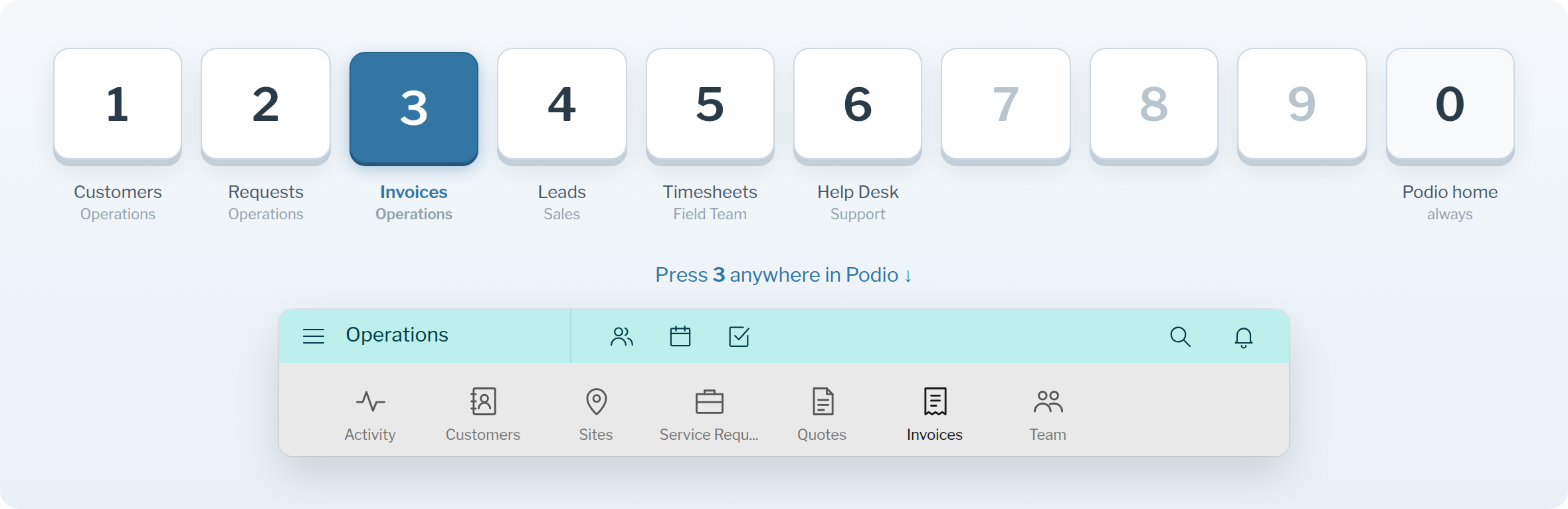
Keys 1 to 9Each one opens an app or workspace you choose.
0 for homeAlways takes you back to your Podio home stream.
Safe while typingNumber keys are ignored when you're in a text field.
Set your keys
Go to the Shortcuts page (sign in first) and pick a workspace or app for each number. Changes save automatically. Then press the key anywhere in Podio.
All keyboard shortcuts
| Key | What it does |
|---|---|
| 1 – 9 | Open the app or workspace you assigned |
| 0 | Podio home |
| Alt+C | Cycle the activity / comments column: normal, wide, hidden. Meta+C on Mac |
| Ctrl+↑ | In an empty comment box: edit your last comment |
| Esc | Leave the text box you're typing in |
Try it in your Podio
Free Chrome extension. Takes a minute to set up.