Features Silent Edits
Bulk changes without the noise
Tick Silent in the spreadsheet and your edits save without notifications, stream bumps or webhooks. Clean up data without flooding your team or triggering flows.
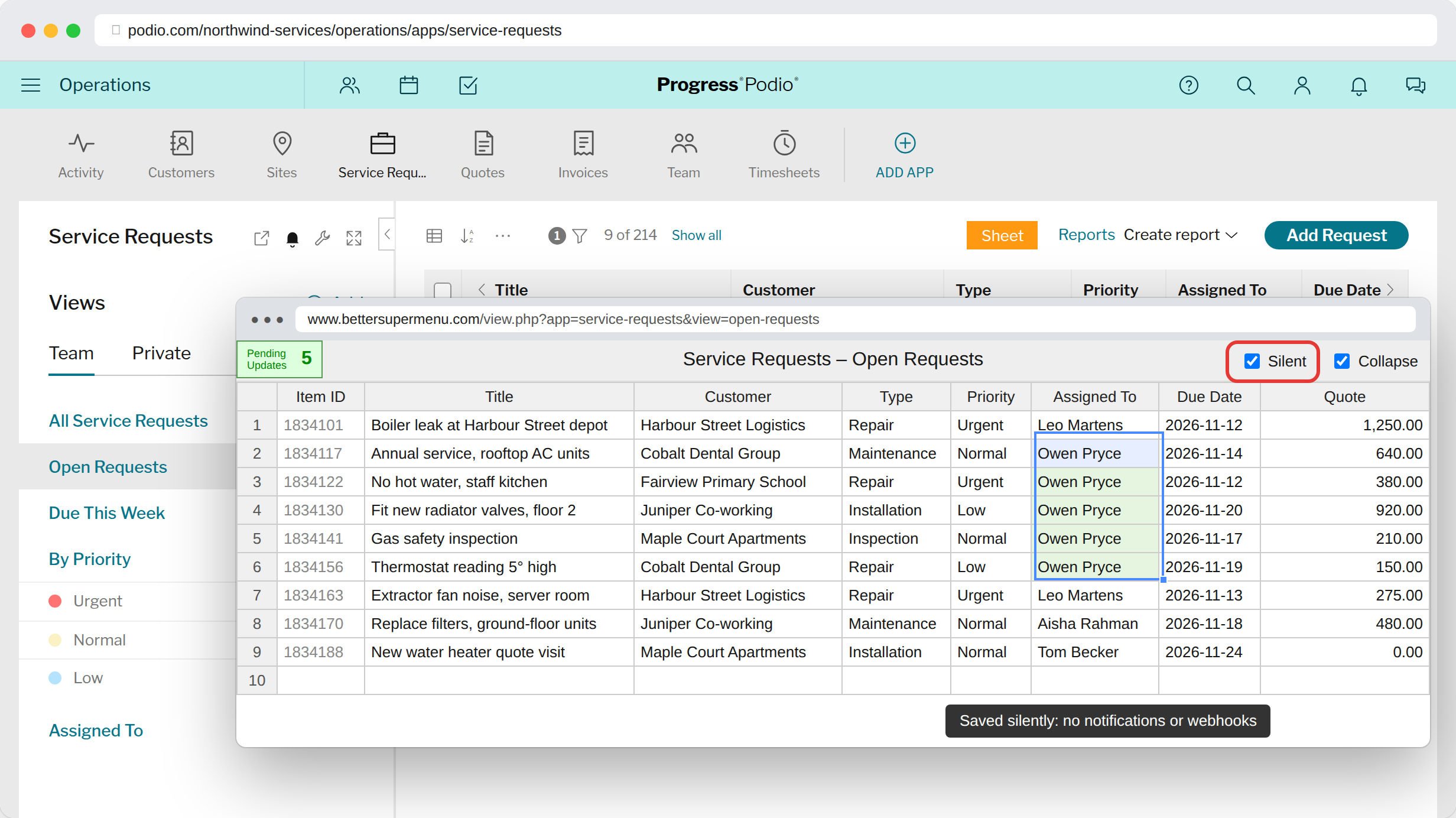
No notification stormFollowers don't get a ping for every cell you change.
No stream clutterItems aren't bumped to the top of everyone's activity stream.
No accidental flowsWebhooks don't fire, so automations don't run on cleanup edits.
Why it helps
Fixing a typo in a category, back-filling a new field, reassigning a departed colleague's items: these are housekeeping, not news. Done the normal way, each edit notifies followers and can set off your automations. Silent edits let you tidy up without anyone noticing.
How to use it
- Open a view in the spreadsheet.
- Tick Silent in the top right corner.
- Edit as usual. Every save from now on is silent.
Silent edits need a ProcFu Silver plan or higher on the Podio account you're signed in with. Without it, the Silent box stays greyed out.
Try it in your Podio
Free Chrome extension. Takes a minute to set up.