Features Rich Text Editor
A better editor for text fields
Edit multi-line text fields in a full editor with Notion-like coloured panels, headings, tables, inline images and clickable checkboxes.
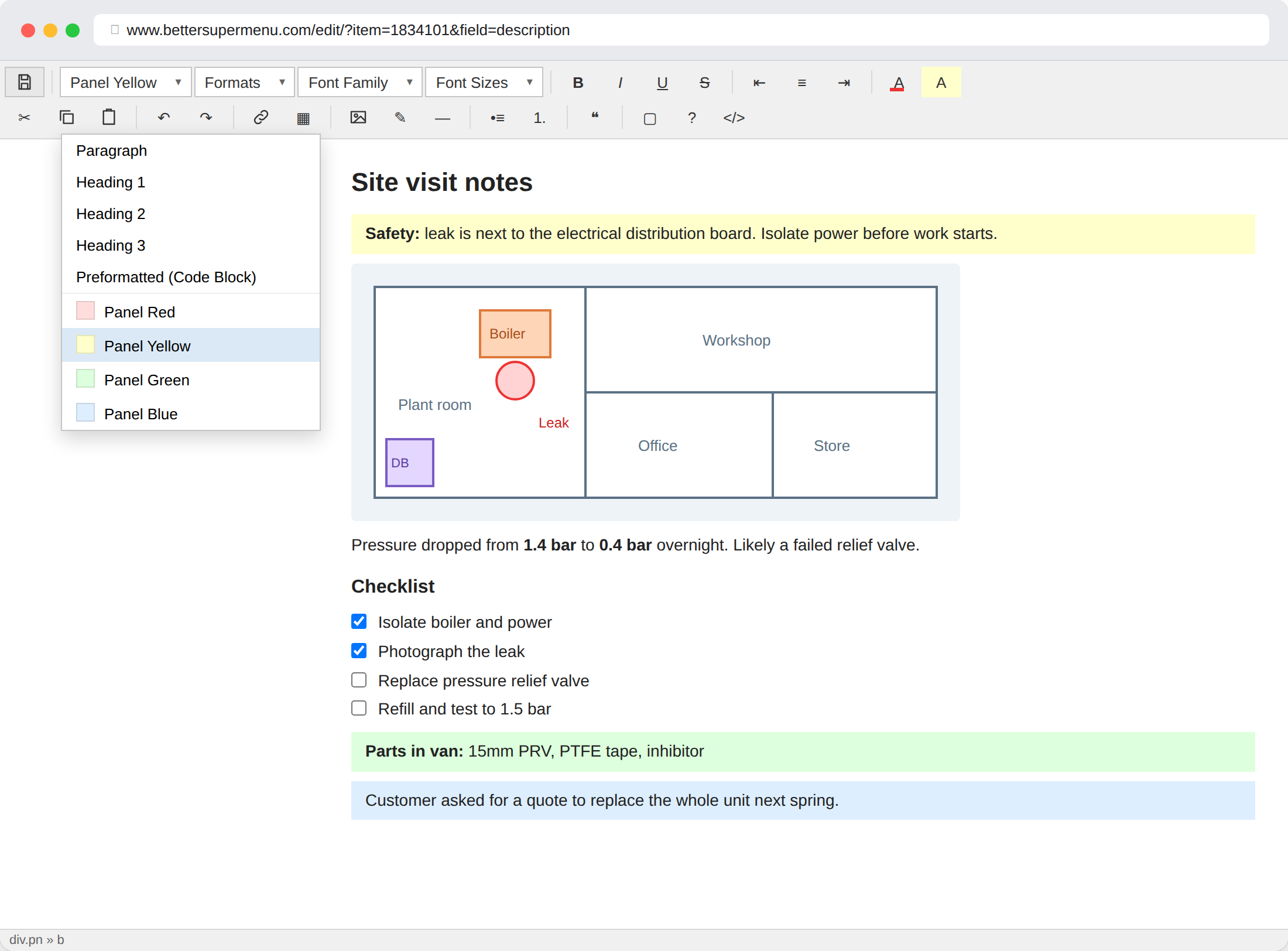
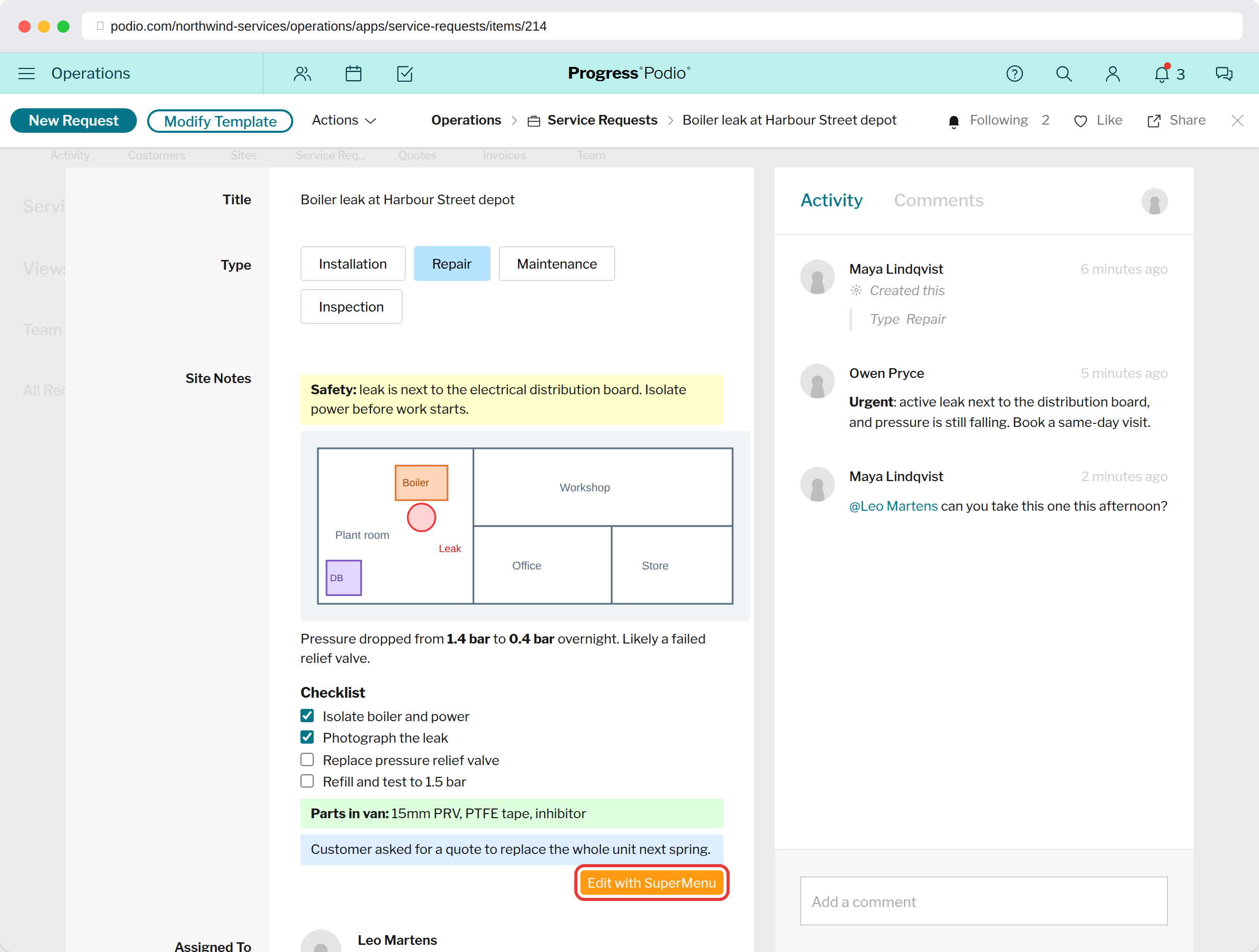
Coloured panelsRed, yellow, green and blue blocks to make warnings and notes stand out.
Inline imagesPaste a screenshot straight into the text. It stays where you put it.
ChecklistsCheckboxes you can tick right in Podio, without opening the editor.
How to use it
- Open an item and hover over a multi-line text field.
- Click Edit with SuperMenu.
- Edit in the full editor and click save. The field updates in Podio.
What you get
- Panels: pick Panel Red, Yellow, Green or Blue from the format menu.
- Images: paste or upload. They're saved to the item's files, or to an always-hidden image field if the app has one, so your files list stays clean.
- Checkboxes: type
[ ]to start a checklist. Press Enter for the next box. - Markdown shortcuts:
#for headings,**bold**,-for lists,```for code blocks, converted as you type. - Tables, code blocks, highlights and a sketch pad for quick drawings.
See the editor help for every format.
The editor works on existing items, not while you're creating a new one. Saving adds a normal entry to the item's activity.
Try it in your Podio
Free Chrome extension. Takes a minute to set up.