Features Super Menu
Every workspace and app, one click away
Click the Podio logo to open a menu of all your favorite workspaces and apps. Pick what shows, colour-code each workspace, and stop digging through the space switcher.
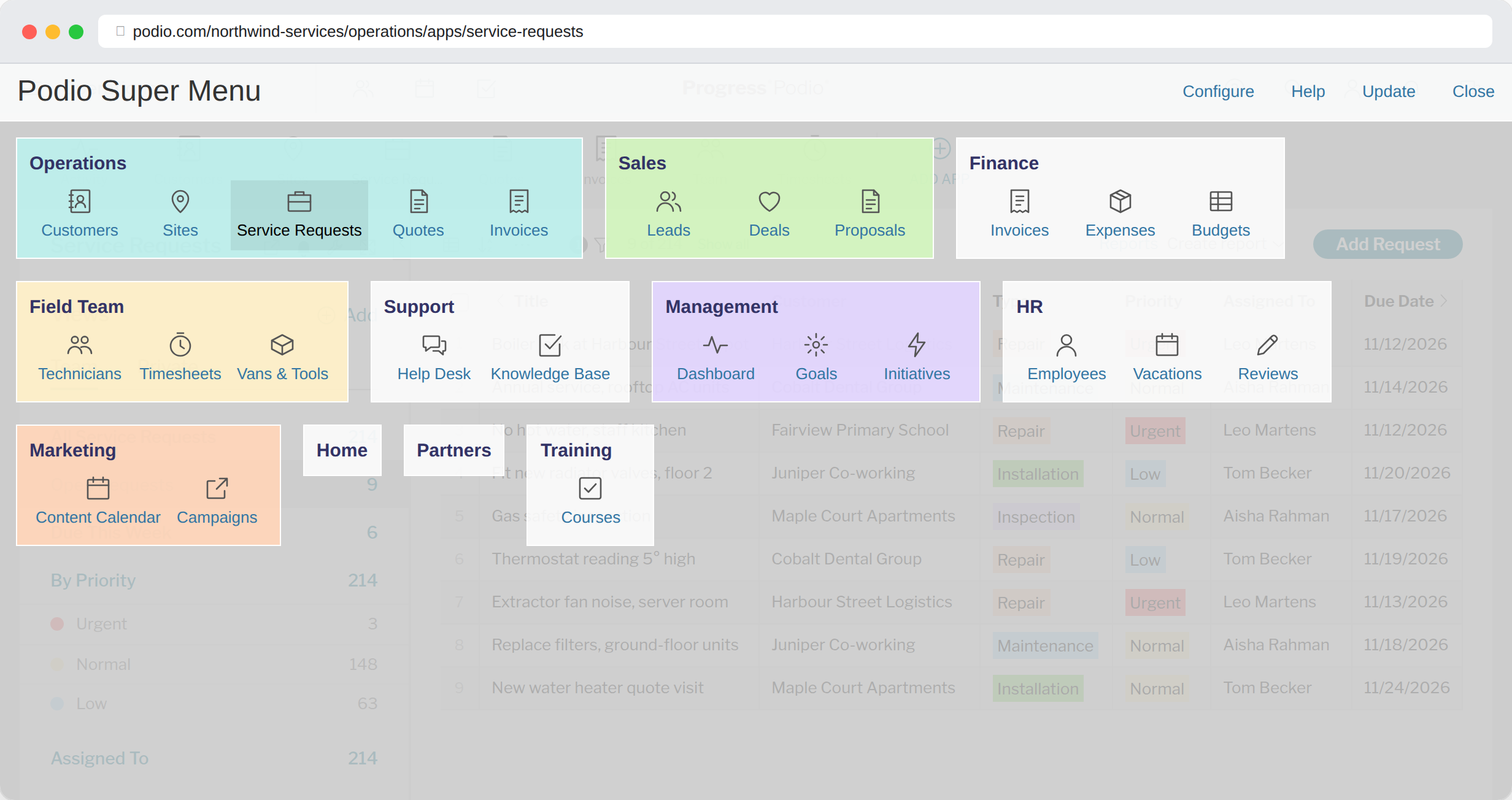
One clickClick the Podio logo from any page. The menu opens over what you're doing.
Only what you useHide the workspaces and apps you never visit.
Colour-codedGive each workspace a colour so you find it at a glance.
Why it helps
Podio's space switcher lists every workspace you belong to, then makes you click into one before you can see its apps. If you work across several workspaces, that's two or three clicks and a scroll every time you switch.
The Super Menu shows your chosen workspaces and their apps on one screen. Any app is one click from anywhere in Podio.
Set it up
- Sign in on this website with your Podio account.
- On the Menu page, tick the workspaces and apps you want to see.
- Click the cog next to a workspace to set its colour.
- In Podio, open the menu and click Update to load your changes.

Your menu is saved to your account, so it follows you to any computer where the extension is installed.
Try it in your Podio
Free Chrome extension. Takes a minute to set up.