Get around Podio faster, and edit data in bulk
Podio Super Menu is a free Chrome extension for Podio. Click the Podio logo for a menu of all your workspaces and apps, and get shortcut keys, spreadsheet editing and a better text editor on top.
Add to Chrome, it's free Used by 6,000+ Podio users · 4.3★ on the Chrome Web Store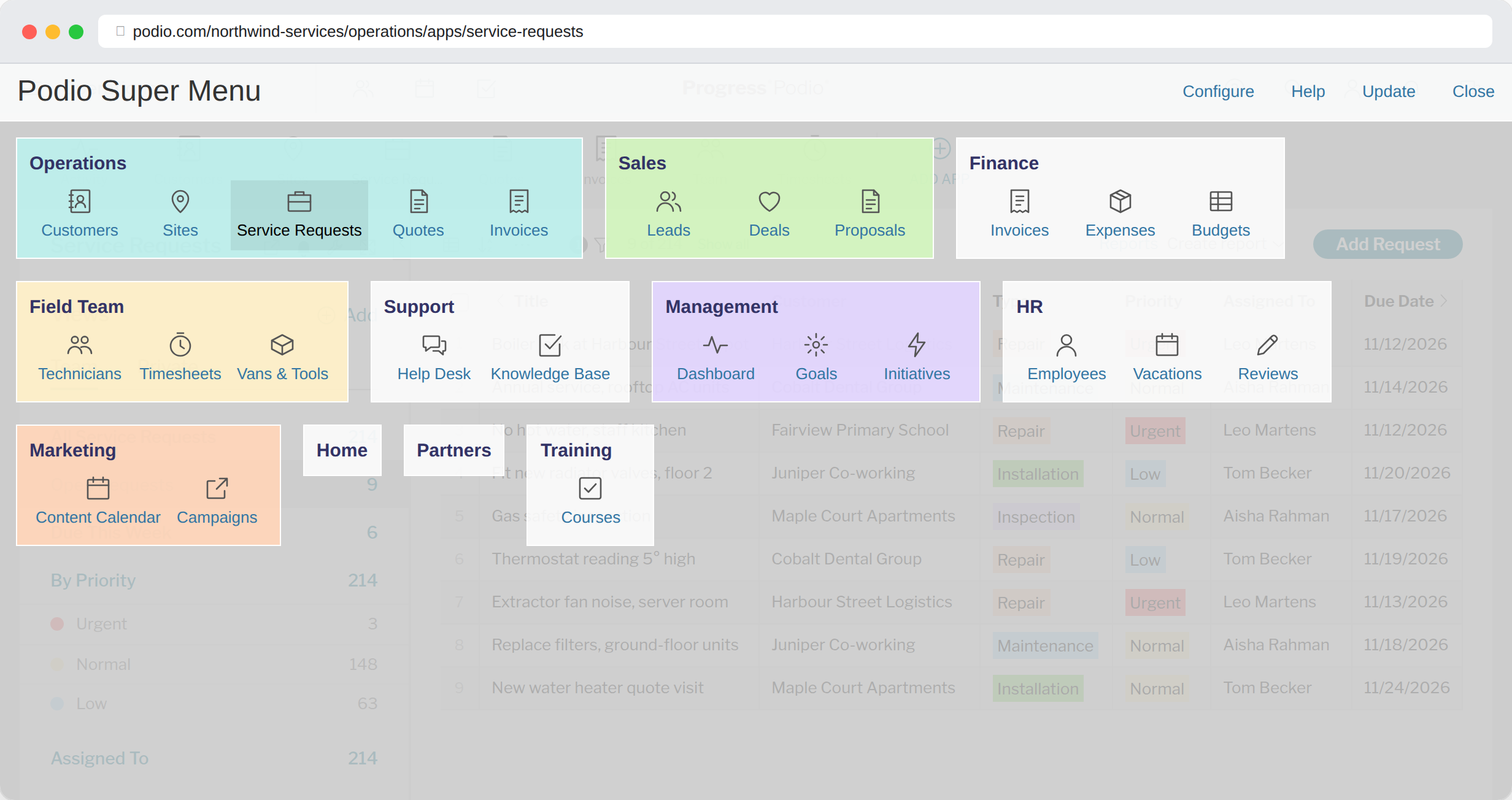
Your top apps on keys 1 to 9
Assign your most-used apps or workspaces to the number keys and jump straight to them from anywhere in Podio. 0 always takes you home.
See how it works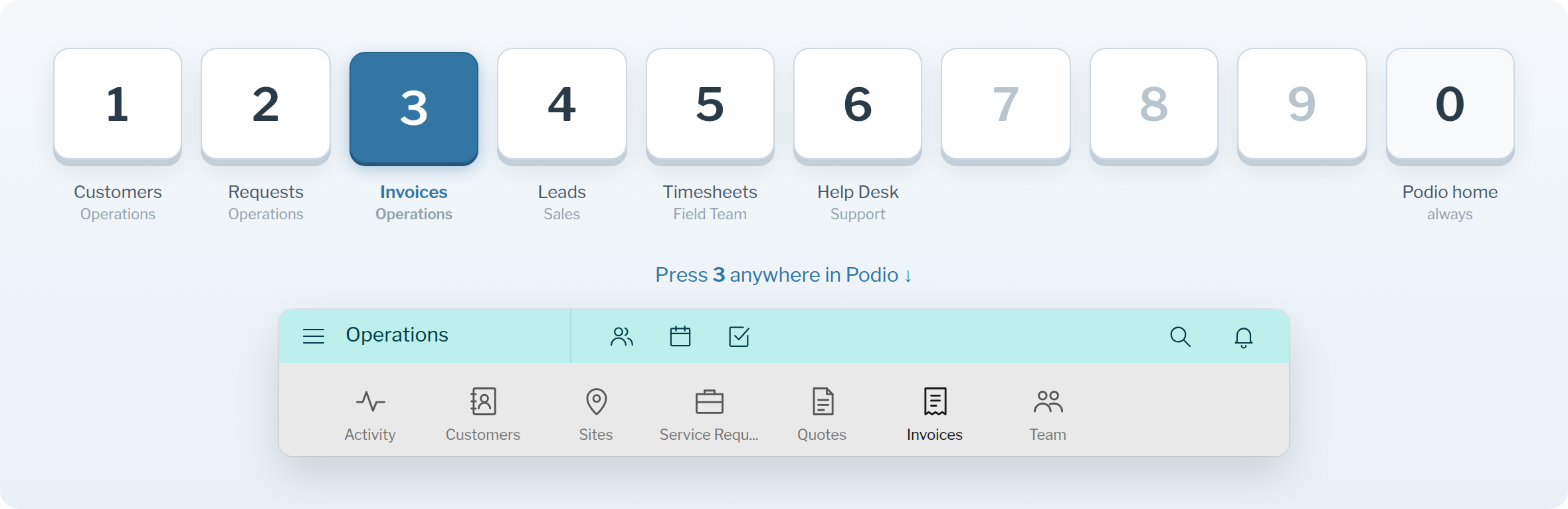
Edit any Podio view as a spreadsheet
One click on the Sheet button opens the current view as a spreadsheet. Type into cells, add rows, and copy & paste to fill a whole column in seconds.
See how it works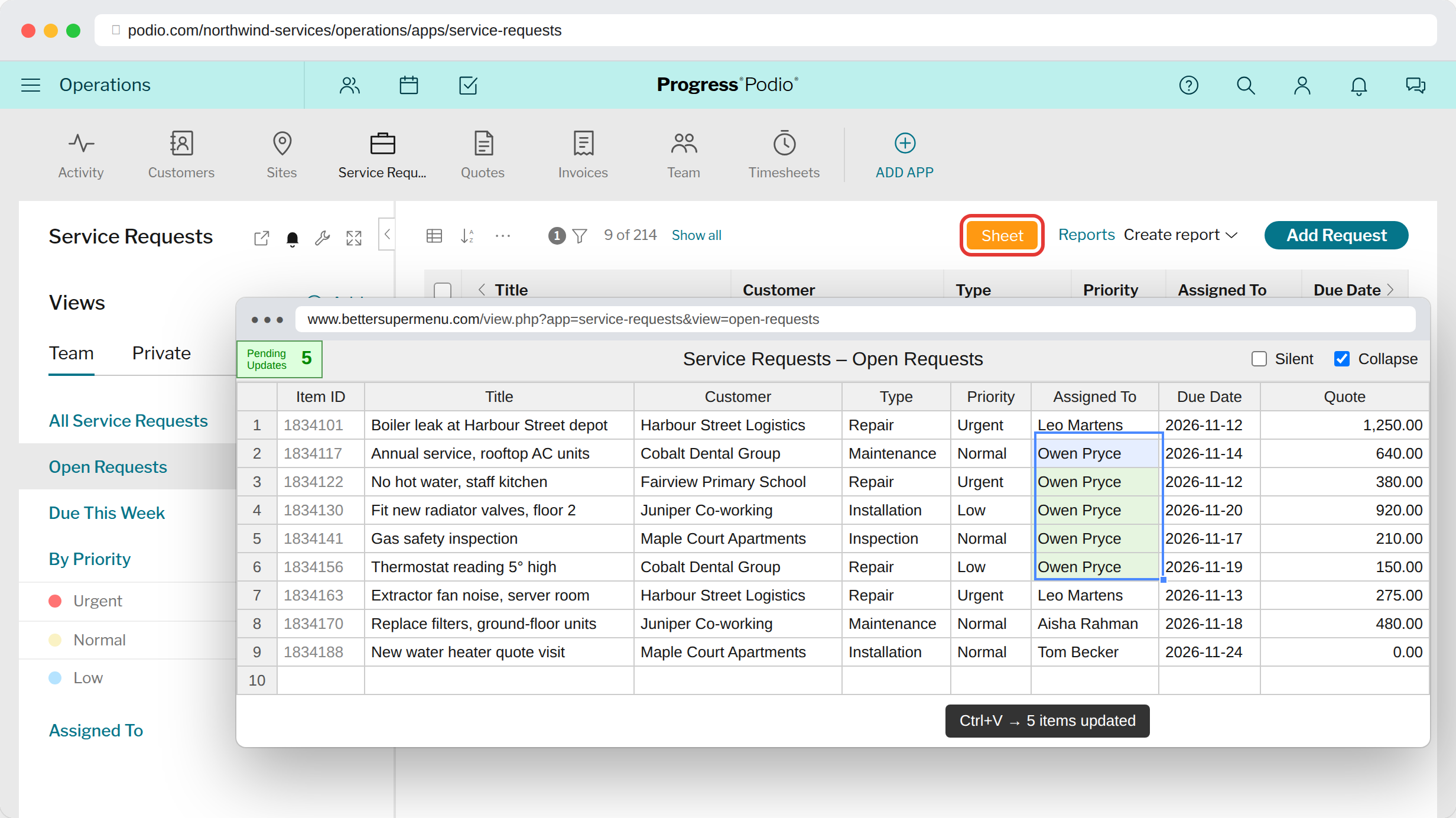
A better editor for text fields
Edit multi-line text fields in a full editor with Notion-like coloured panels, headings, tables, inline images and clickable checkboxes.
See how it works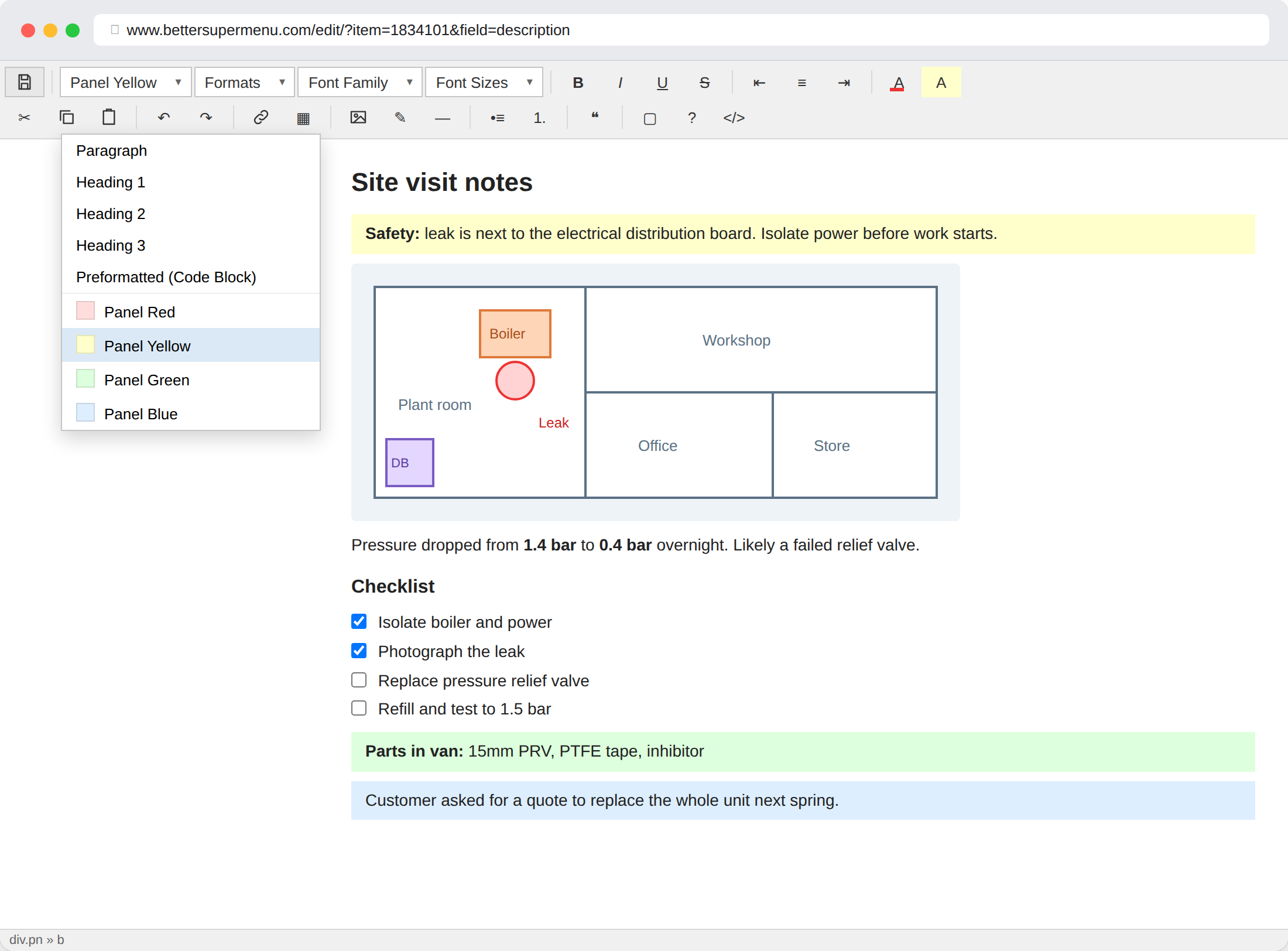
Bulk changes without the noise
Tick Silent in the spreadsheet and your edits save without notifications, stream bumps or webhooks. Clean up data without flooding your team or triggering flows.
See how it works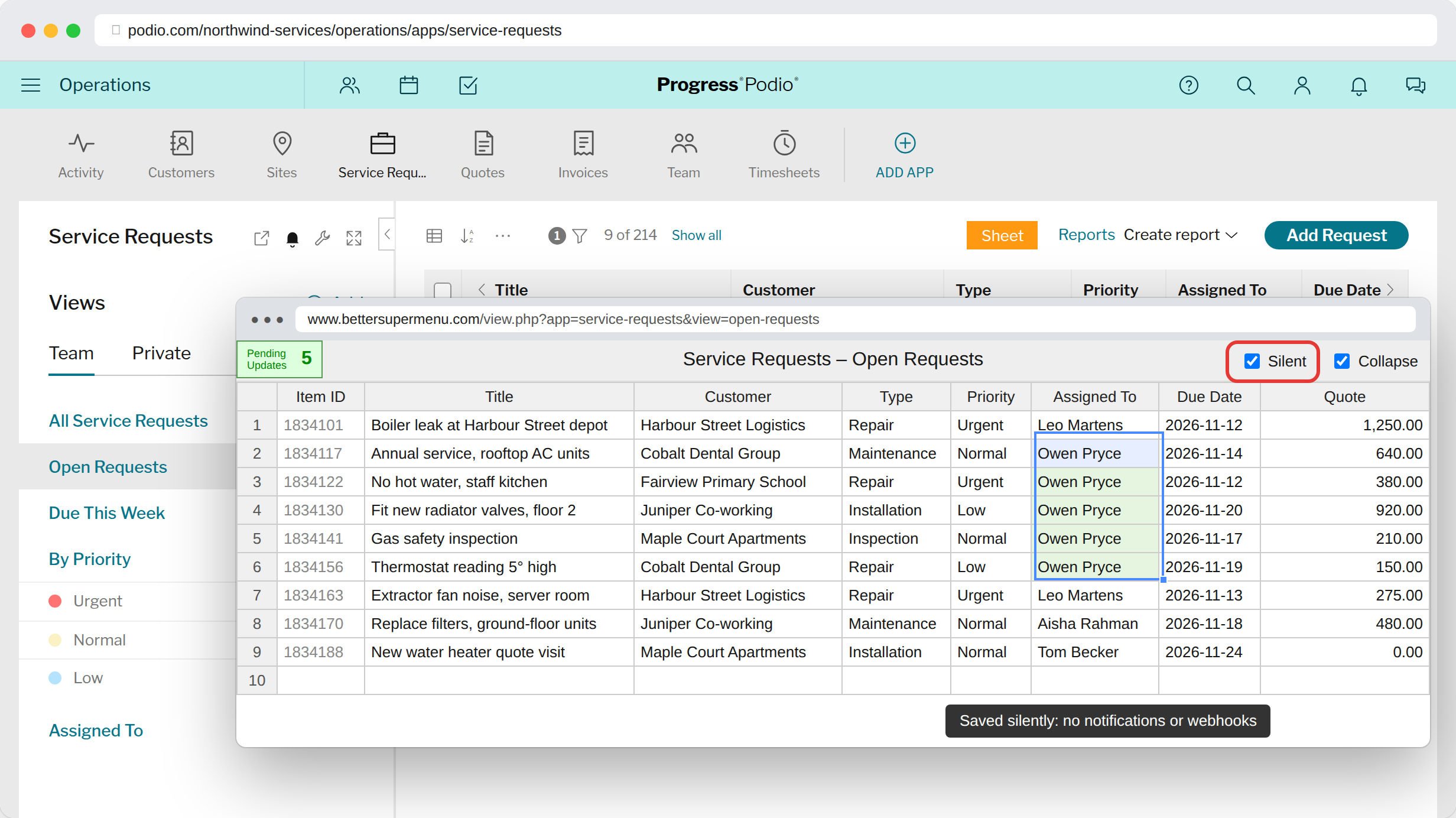
App descriptions that stay open, with live reports
App descriptions expand automatically so your team always sees the instructions. Pin any report into the description and it shows as a live tile.
See how it works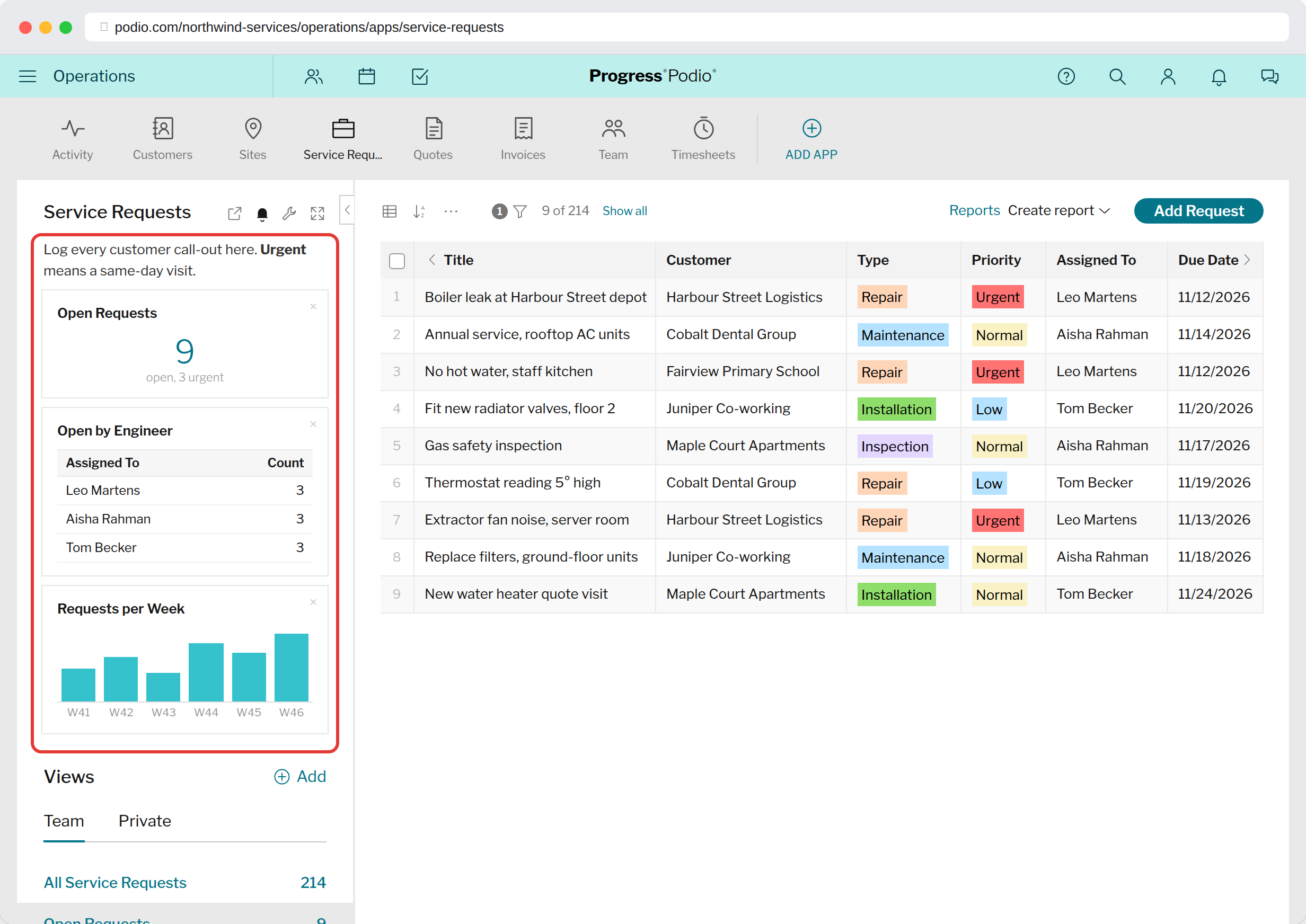
Up and running in a minute
No Podio admin rights needed. Everything runs in your own browser.
Install the extension
Add Podio Super Menu from the Chrome Web Store.
Pick your menu
Sign in with Podio here and choose the workspaces, apps and shortcut keys you want.
Click the Podio logo
Your menu opens over Podio. The Sheet button and editor show up on their own.